
What is a Raspberry Pi? How it works and what it’s used for


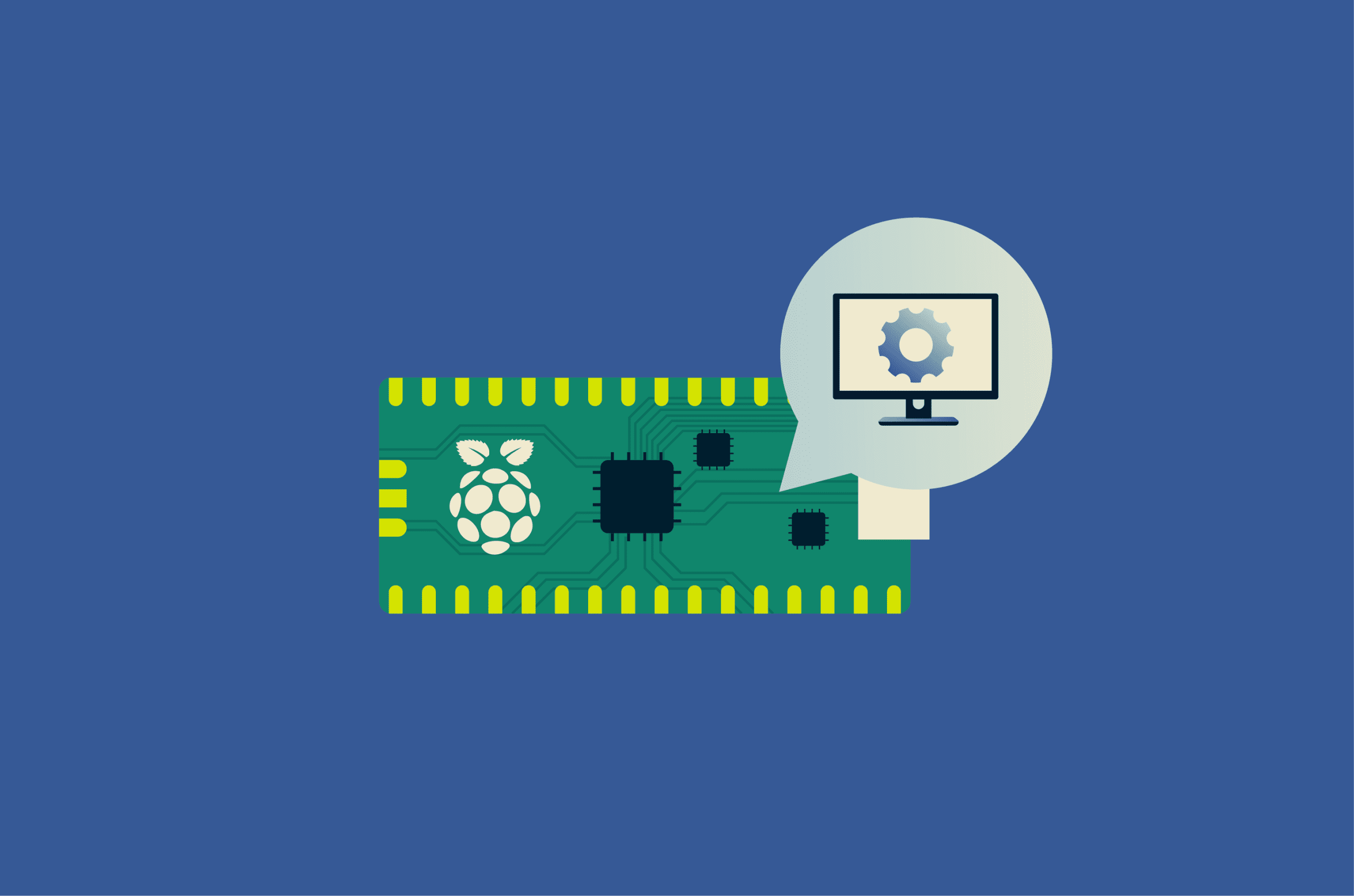
Raspberry Pi devices are commonly used for programming, electronics, automation, and DIY computing projects. Despite their compact size, they can perform many of the same basic functions as a traditional desktop computer.
This guide explains what a Raspberry Pi is, how it works, its key advantages and disadvantages, and what you need to get started.
What is a Raspberry Pi?
Raspberry Pi is a series of single-board computers, many of which are roughly the size of a credit card. These devices were developed and first released in 2012 by the Raspberry Pi Foundation, a U.K. non-profit organization. They were originally created to support computer science education and introduce beginners to programming and electronics.
How does a Raspberry Pi work?
Unlike a conventional desktop computer, with separate internal components, a Raspberry Pi has its essential components built into a single circuit board, including the central processing unit (CPU), random access memory (RAM), and input/output ports. Most models also include USB and HDMI ports for connecting peripherals.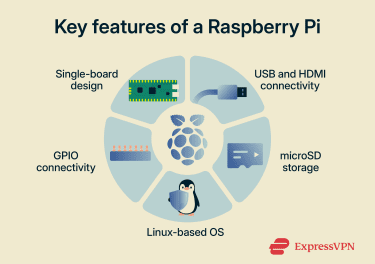
Many Raspberry Pi setups store the OS (usually a Linux-based system), applications, and files on a microSD card, although some models support USB-connected SSDs. When powered on, the device loads its OS from the card and can then run applications.
In terms of processors, most Raspberry Pi devices use ARM architecture, which differs from the x86 architecture commonly used in many traditional computers.
Most Pi models also include general-purpose input/output (GPIO) pins, which allow the board to connect to compatible external hardware components such as LEDs with resistors, buttons, and sensors for electronics and automation projects. However, higher-power devices may require additional interface components or external power sources.
Types of Raspberry Pi models
There have been several generations of Raspberry Pi devices since the original Pi 1 was released. While newer models generally offer better processing power, memory, connectivity, and graphics support, older variants may still be better suited for certain low-power, embedded, or educational projects.
Here’s a table highlighting the primary models:
| Model | RAM | Processing power | Connectivity |
| Pi 1 (2012) | Up to 512MB | 700 MHz single-core CPU | Ethernet |
| Pi 2 (2015) | 1GB | 900 MHz quad-core CPU | Ethernet |
| Pi 3 (2016) | 1GB | 1.2-1.4 GHz quad-core CPU | Wi-Fi, Bluetooth, Ethernet |
| Pi 4 (2019) | Up to 8GB | 1.8 GHz quad-core CPU | Wi-Fi, Bluetooth, Gigabit Ethernet |
| Pi 5 (2023) | Up to 16GB | 2.4 GHz quad-core CPU | Wi-Fi, Bluetooth, Gigabit Ethernet |
Alongside the primary models, the Raspberry Pi Foundation has also released several specialized variants for different use cases:
- Raspberry Pi 400 and 500 series: Desktop-style systems with Raspberry Pi hardware integrated directly into a keyboard.
- Raspberry Pi Zero series: Smaller, lower-power Raspberry Pi models designed for lightweight and embedded computing projects.
- Raspberry Pi Pico series: Compact microcontroller boards designed for controlling hardware and electronic components rather than running a full desktop OS.
What is the Raspberry Pi used for?
The Raspberry Pi is now widely used for a range of personal, professional, and hobbyist projects. This includes: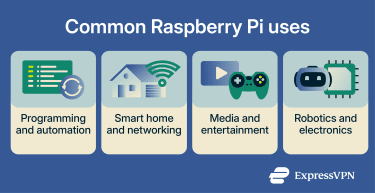
- Programming and coding projects: Writing code in languages such as Python and experimenting with automation and scripting.
- Home automation and Internet of Things (IoT) projects: Setting up centralized smart home systems that control devices such as lights, cameras, and sensors.
- Media centers and file servers: Streaming video and music, organizing media libraries with software such as Kodi, and sharing files across a local network.
- Network-attached storage (NAS) servers: Creating centralized storage for backing up and sharing files across devices on a local network, with remote access possible if configured securely.
- Web servers: Hosting lightweight websites, web applications, or private multiplayer game servers on a low-power device.
- Robotics and electronics projects: Controlling programmable robots, automated vehicles, and sensor-based devices through GPIO-connected hardware.
- Network-level ad blocking: Filtering ads and trackers on devices connected to your home network using software such as Pi-hole.
- Basic desktop computing: Handling tasks such as web browsing, document editing, and email when connected to a monitor, keyboard, and mouse.
- Retro gaming systems: Emulating classic console and arcade-style games using software such as RetroPie, provided you use game files you have the legal right to use.
Note: Retro gaming software may require separate game files, some of which may still be protected by copyright laws. Use only files you have the legal right to use, and avoid downloading ROMs from unofficial sources.
Programming with Raspberry Pi
Raspberry Pi devices are commonly used for learning programming concepts, building hardware projects, and developing automation systems.
Common programming languages used on Raspberry Pi devices include:
- Python (comes pre-installed with Raspberry Pi OS): Commonly used for automation, smart home projects, and beginner programming.
- C and C++: Useful for projects that interact directly with hardware components such as sensors and motors.
- Java: Suitable for cross-platform software development and server applications.
- Scratch: Commonly used drag-and-drop visual programming language for building simple programs and projects.
- JavaScript/Node.js: Often used for web development, building web servers, and IoT applications.
Raspberry Pi vs. traditional computers
Raspberry Pi devices offer several advantages over some desktop and laptop computers, but they also have limitations. This includes: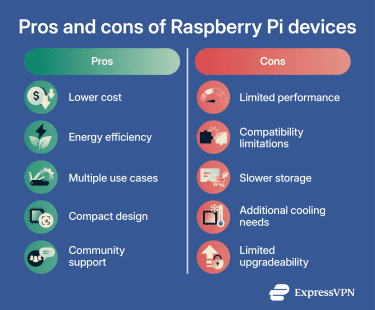
Advantages of Raspberry Pi
- Lower upfront cost than many traditional computers.
- Reduced power consumption during everyday use.
- Support for computing, automation, and electronics projects.
- Compact designs that are easy to transport and store.
- Access to extensive online documentation and tutorials.
Limitations of Raspberry Pi
- Limited performance for demanding workloads such as video editing.
- Slower storage speeds when using microSD cards.
- Limited compatibility with some desktop applications.
- Additional cooling requirements on some models during sustained intensive workloads.
- Limited upgradeability due to soldered components.
When to choose a Raspberry Pi
Choosing between a Raspberry Pi and a traditional computer depends on your budget, performance needs, and intended use cases.
A Raspberry Pi may be a good choice for:
- Single-purpose setups for tasks such as smart home automation or media streaming.
- DIY computing and electronics projects using GPIO-connected hardware.
- Learning programming or experimenting with computer science concepts.
- Lower-cost setups or environments with limited space.
A traditional computer may be a better choice for:
- Demanding tasks such as gaming or video editing.
- Running multiple applications and tasks at the same time.
- Reliance on Windows- or macOS-exclusive applications.
- Fully assembled systems designed for everyday use.
What do you need to get started?
Raspberry Pi boards are typically sold without peripherals or accessories, so additional components are usually required before the device can be used. Optional accessories can also expand the device’s functionality or improve cooling and portability.
Here are the key components and optional accessories commonly used to get started with a Raspberry Pi setup:
Essential components
- USB-C or Micro-USB power adapter for powering the device.
- microSD card, USB drive, or SSD for storing the operating system and files.
- Keyboard and mouse for controlling the system and applications.
- Monitor or screen for viewing the operating system and applications.
- HDMI cable for connecting a monitor or TV.
Optional accessories
- Protective cases to safeguard the board and improve portability.
- Cooling fans and heatsinks to help reduce heat during intensive use.
- Cameras, game controllers, external storage drives, and other USB peripherals.
- Ethernet cable for wired internet access.
Choosing an operating system
Raspberry Pi OS is the most commonly used operating system for these devices. However, other options are also available for different types of projects and setups.
- Ubuntu: General-purpose Linux operating system for desktop and development use.
- LibreELEC: Media center operating system built around Kodi.
- Home Assistant OS: Operating system designed for smart home automation projects.
Learn more: How to install an OS on Raspberry Pi
FAQ: Common questions about Raspberry Pi
Is Raspberry Pi good for beginners?
Do you need coding skills to use a Raspberry Pi?
Can Raspberry Pi connect to a monitor or TV?
What projects are best for a first Raspberry Pi build?
Does Raspberry Pi need internet access to work?
Take the first step to protect yourself online. Try ExpressVPN risk-free.
Get ExpressVPN